Picture to Text has been successfully installed!
To get started:
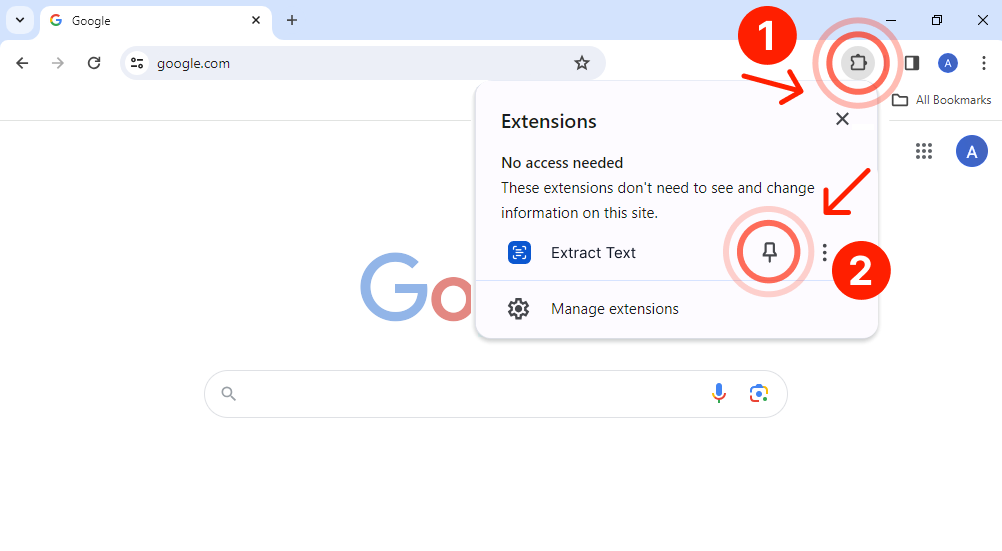
1
Click the icon in the upper right corner of Chrome
2
Pin the extension to the toolbar
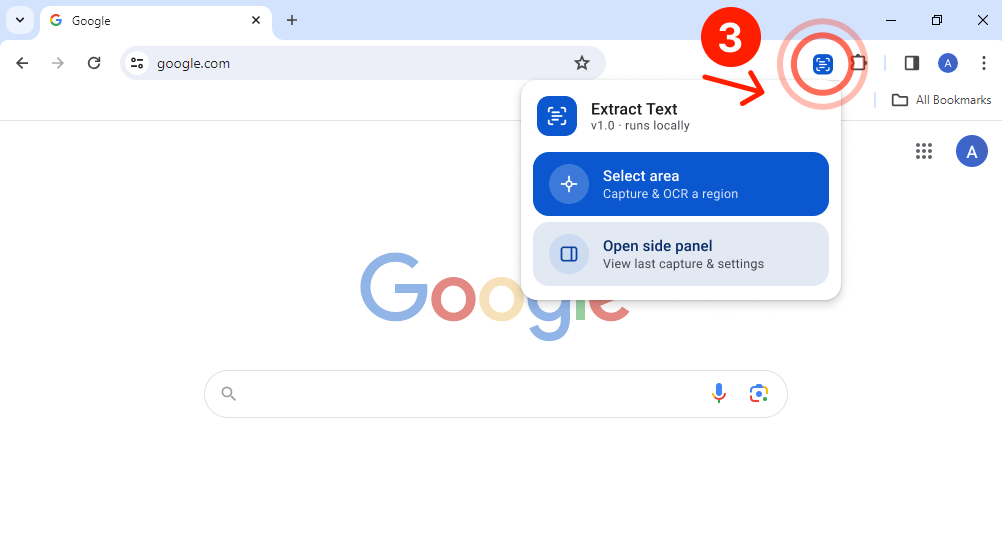
3
Click the Picture to Text icon to grab clean text from any file, website, or image